lidfold
The fold-away effect of a closing lid, for Windows laptops with no lid-angle sensor.
As you close a laptop's lid, the desktop tips away from the hinge, blurs and dissolves, and reopening plays it in reverse, after the Mac Duo effect for MacBooks. MacBooks have a hinge sensor that reports the lid's angle; most Windows laptops only know open or closed. lidfold estimates the angle from the webcam instead, and draws the effect over the desktop in one of 20 styles.
- Status
- Working on the laptop it was built on, a Lenovo ThinkBook, and installable as a Windows app for one user without admin rights. Open source under the MIT licence, crediting the Mac Duo code it ports.
- , from its code on GitHub
Overview§
On a MacBook, Mac Duo can tie the desktop to the lid because the hinge reports its angle in degrees. Most Windows laptops have only a switch that says open or closed, so there is nothing to drive an effect that follows the lid as it moves. lidfold is for anyone with one of those laptops who wants that gradual fold anyway.
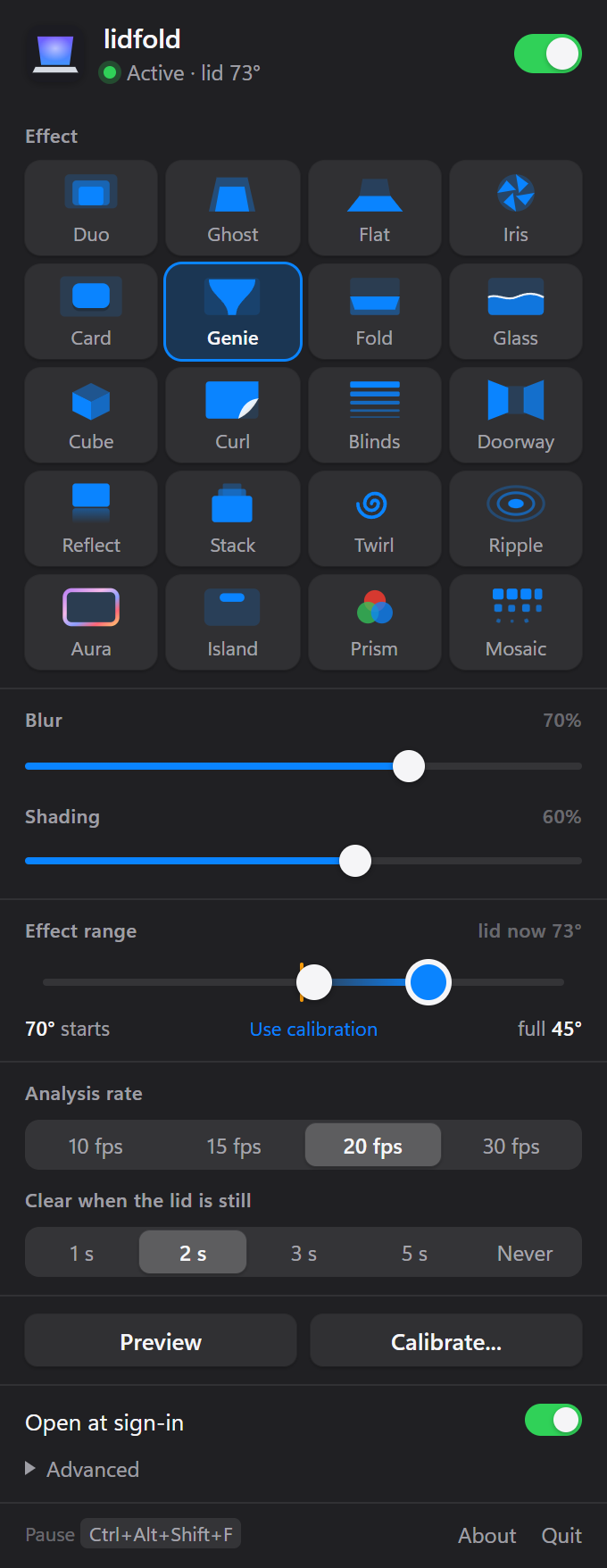
You calibrate once: a slow tilt of the lid while staying out of the camera's view, then a few clicks to mark the base's edge. After that lidfold sits in the tray. Lower the lid and the desktop tips, blurs and fades in step with it; raise it and the desktop returns. Left-click the tray icon for a panel of twenty effects, blur and shading sliders, and a range track that marks the live lid angle, so you can set where the effect starts and where it is full.
It has only been tested on the Lenovo ThinkBook it was built on. The webcam stays on while it runs, so its light stays lit, and the room needs some visible texture to track. Move the laptop somewhere new and it is best to recalibrate, and only the primary display is animated.
Key facts§
- 20 effects, in five rows of four, from Duo and Ghost to Prism and Mosaic.
- Calibration is one slow tilt of the lid and takes about a minute.
How it works§
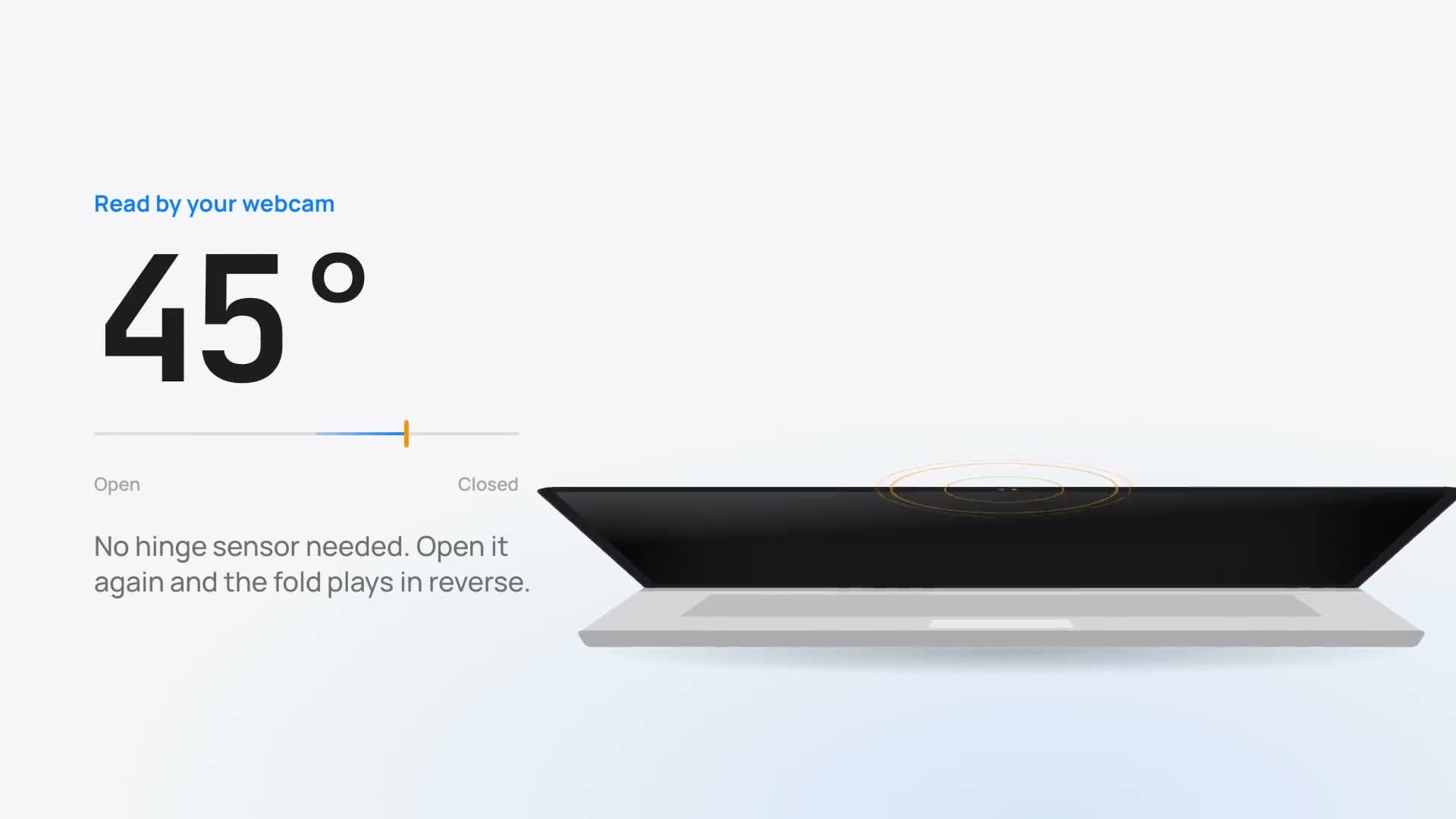
The room is the sensor. The webcam turns with the lid, so as the lid tilts the room slides up or down in the image; measuring that shift tracks the lid from fully open, before any part of the laptop's base can be seen, so the effect can start at about 50°.
A scene map keeps it from drifting. A one-minute calibration sweep stores what the room looks like every 3°, and matching the current view against it gives an absolute angle that motion tracking alone would lose over time.
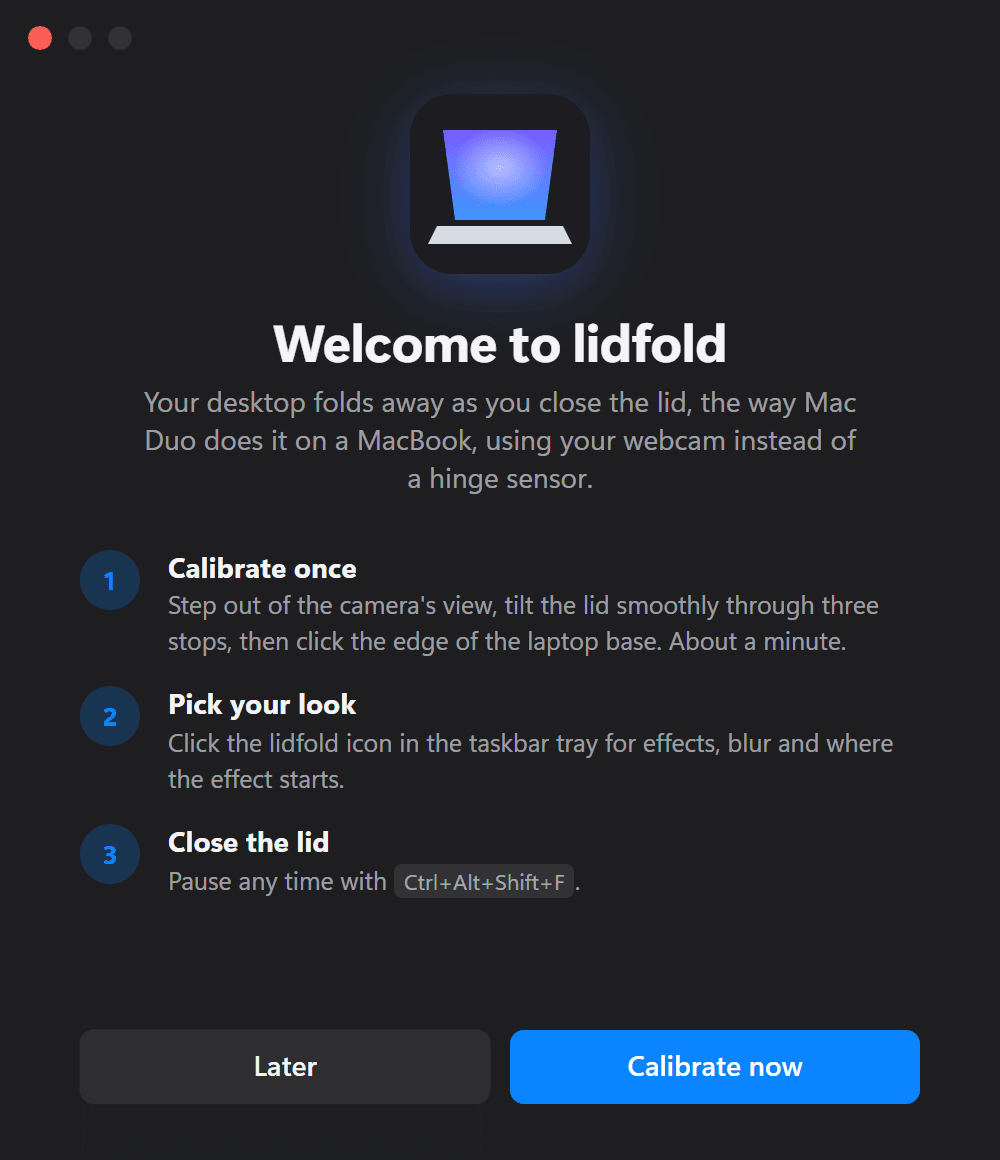
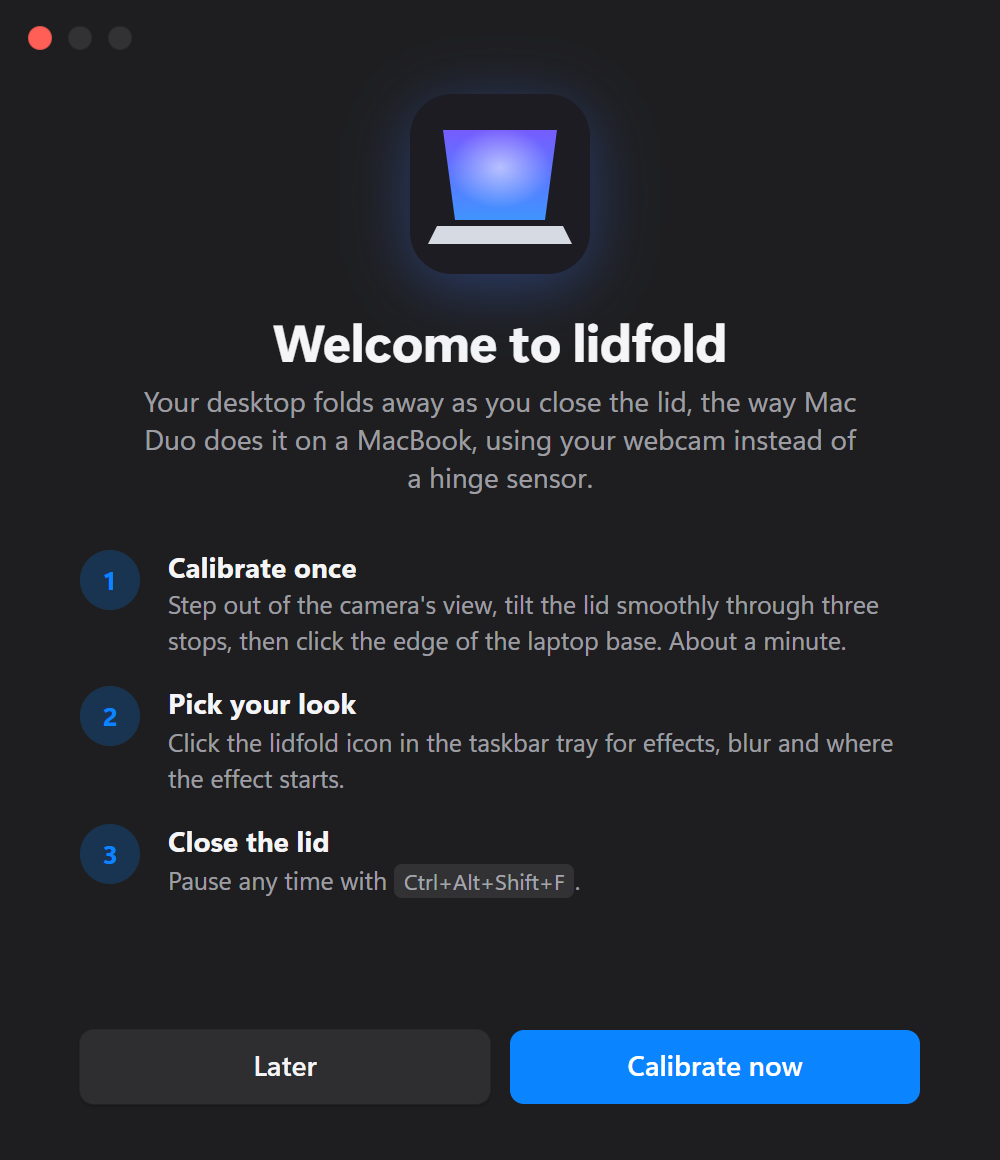
The first start without a calibration opens Welcome: calibrate once, pick a look in the tray, close the lid. The base's edge pins down the low angles. Below about 40° the front edge of the laptop's base enters the bottom of the frame, and its height gives the angle even if the room has changed since calibration.
The effect is drawn on the GPU over a capture of the desktop: OpenGL shaders for each of the 20 styles, such as Duo, Genie, Fold and Cube, with blur and shading that follow the estimated angle between where the effect starts and where it is full.
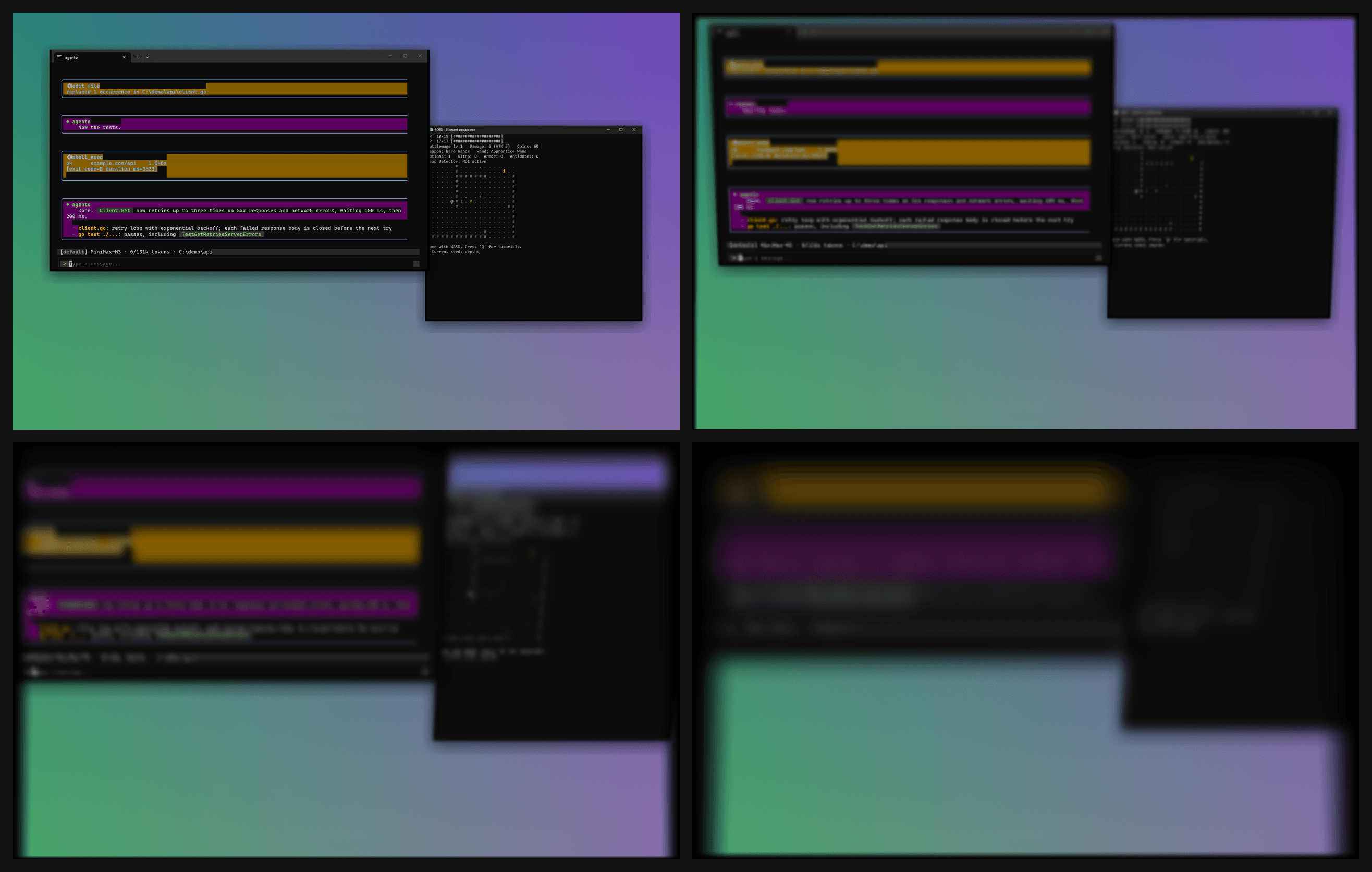
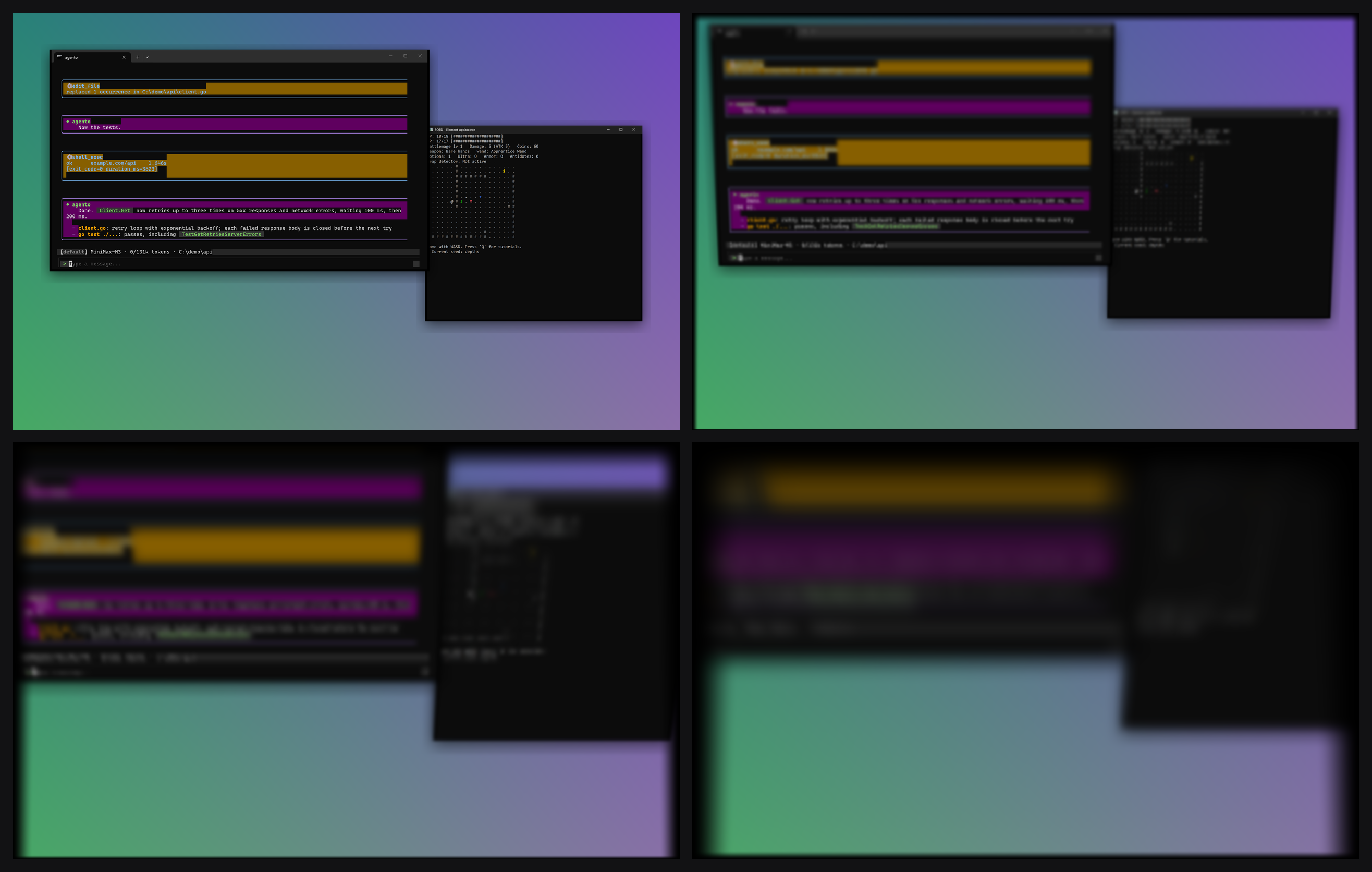
Duo at four points of a closing lid: the desktop tips back, blurs and darkens as the estimated angle falls. The panel lives in a separate process. The render loop needs the main thread for OpenGL, so the tray panel, HUD and windows are web pages in the system's WebView2, in a companion process that talks to the effect over a named pipe with a per-run key; a problem in the interface can never stop the effect.
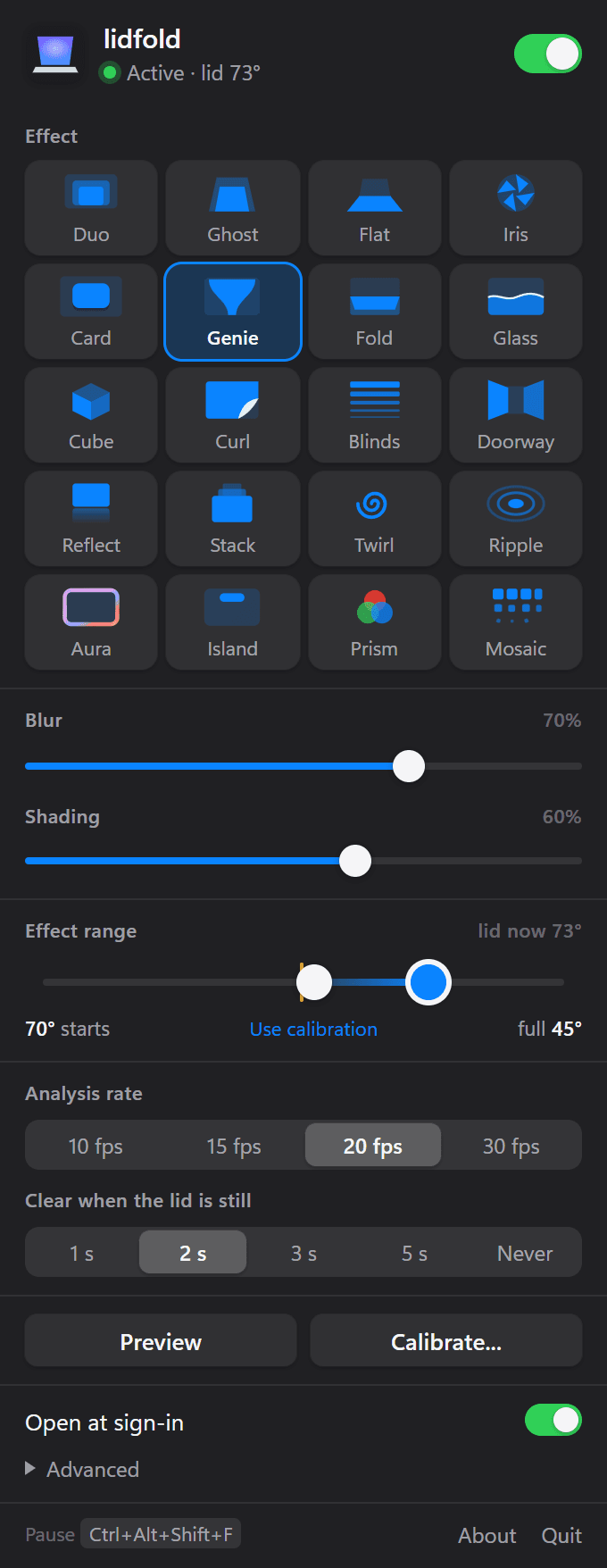
The tray panel: pick an effect, set blur, shading and the range, with the live lid angle marked on the track.
Screens§
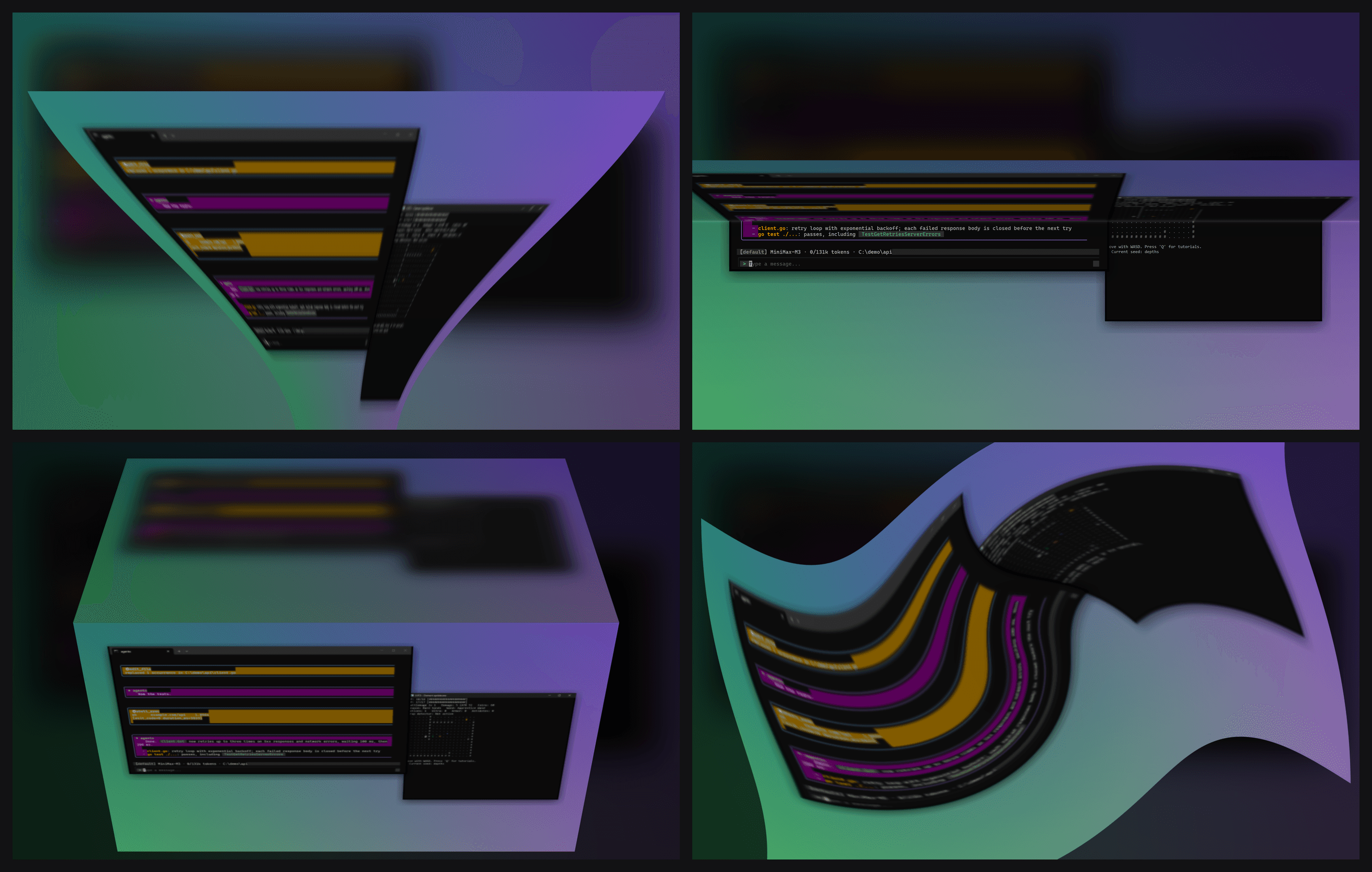
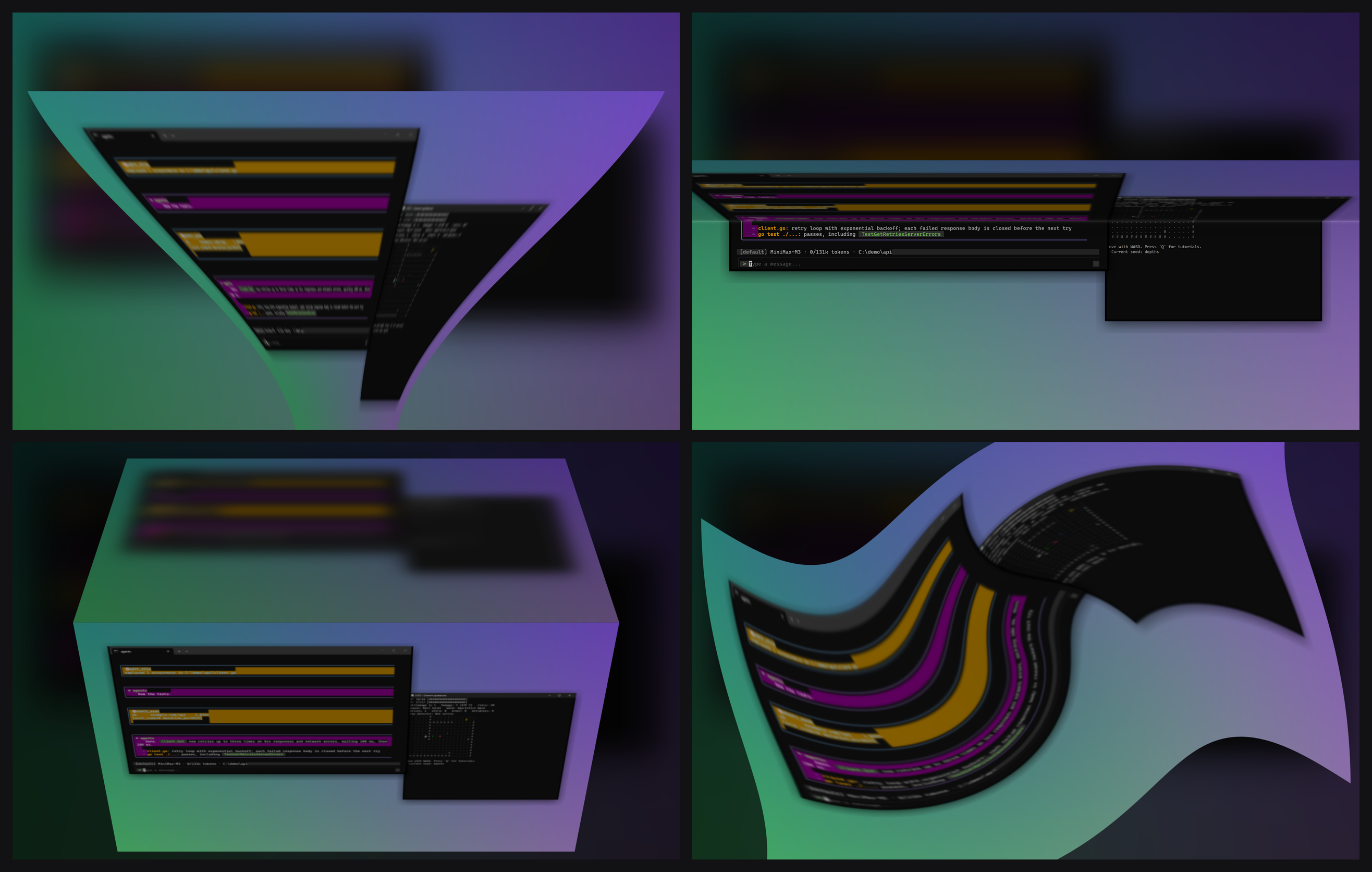
Step 04 · Four of the twenty effects at the same lid angle: Genie, Fold, Cube and Twirl, each its own shader branch.
About, in the panel's footer: the version and the three cues the angle comes from.
Built with§
- Python, also used in Datacenter Tracker, Squash Review, mcAI, and Learning RL by Playing Games
- OpenCV, also used in Squash Review
- NumPy, also used in mcAI and Learning RL by Playing Games
- OpenGL (moderngl)
- dxcam
- pywebview (WebView2)
- pystray