Atoll
An iPhone-style dynamic island for Windows 11.
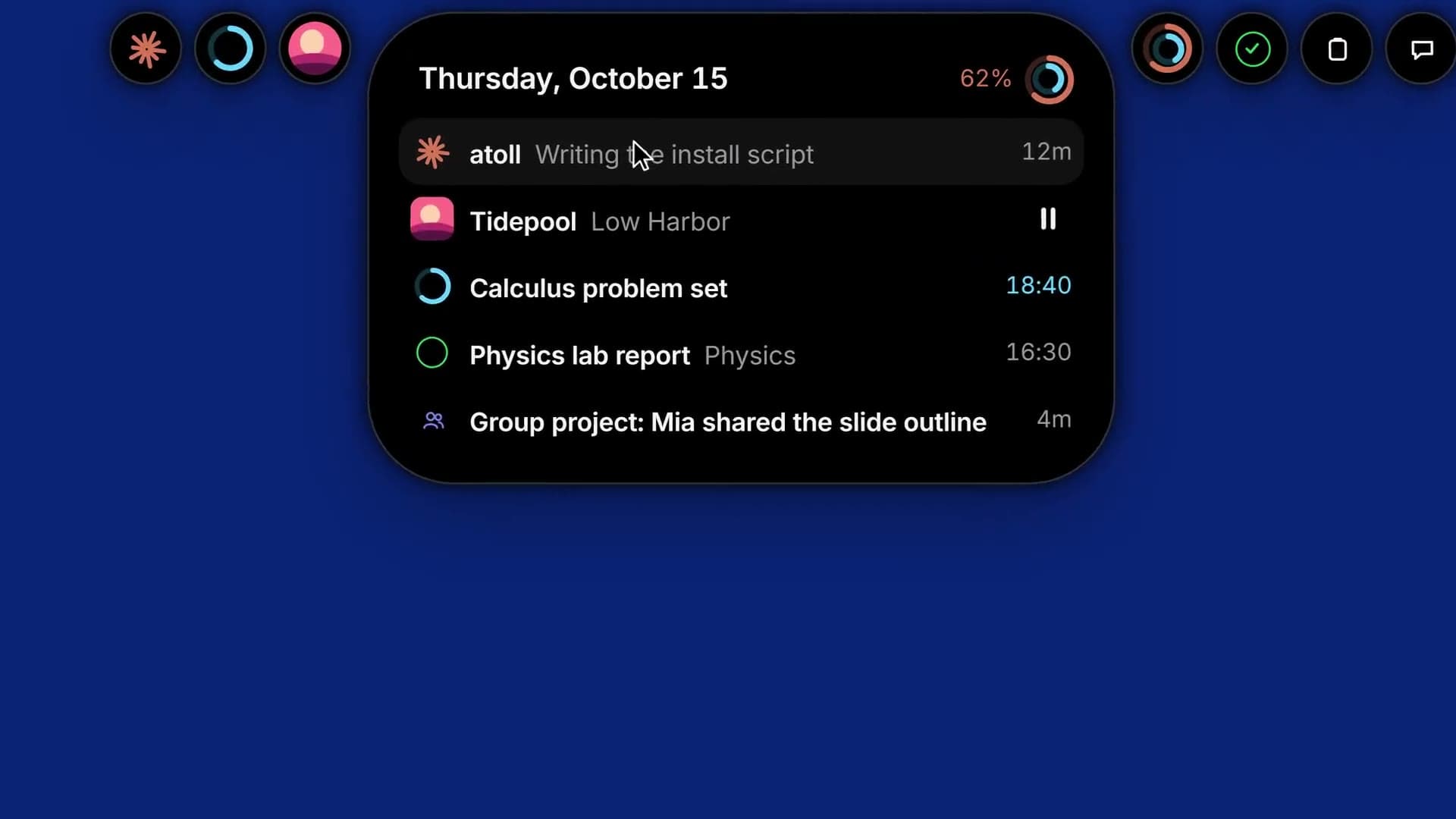
A slim status line under the top edge of the screen that opens, like the iPhone's dynamic island, onto whatever is going on: Claude Code sessions at work, music with synced lyrics, a focus timer, today's homework from the Time Manager, Teams digests from Sisyphus, clipboard history, and a quick chat that can search the web. Each activity has its own colour on the line; click a colour to open its card, or rest on the line for an overview of everything.
- Status
- Working, and installed for my own Windows user as an app, with a tray menu and an uninstaller. Young: started in October 2026, and the repository is private.
Overview§
On a Windows desktop, the things worth keeping an eye on are scattered: a Claude Code session finishing its task, the song that is playing, a homework block coming up, a busy Teams chat. Each sits in its own window, so keeping track means switching to each in turn. Atoll is for someone at a Windows 11 desktop with several of these going at once, and it was made first for my own use.
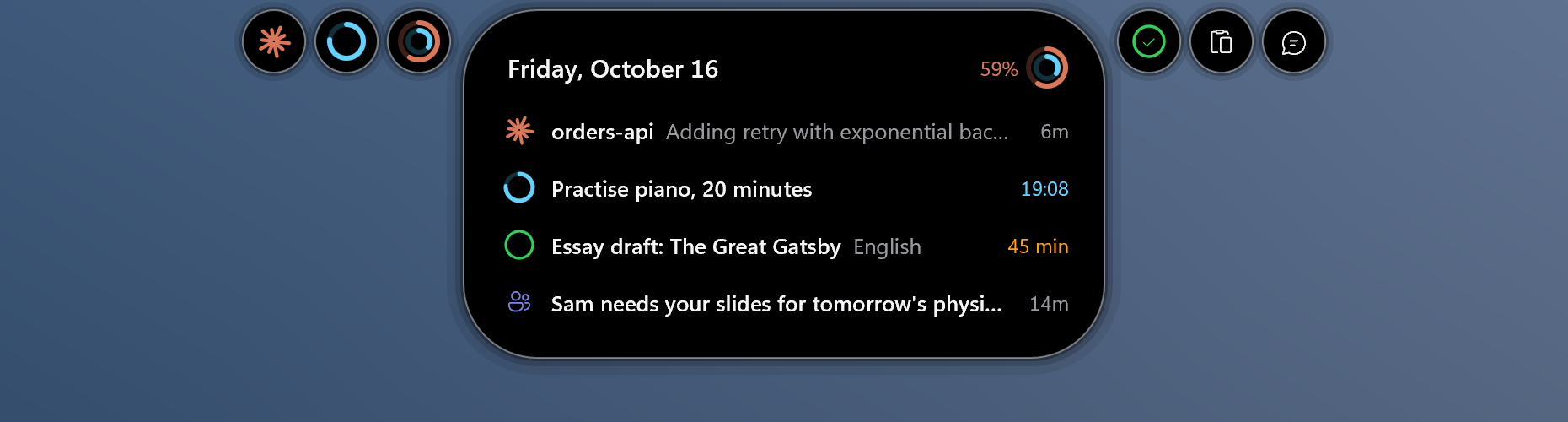
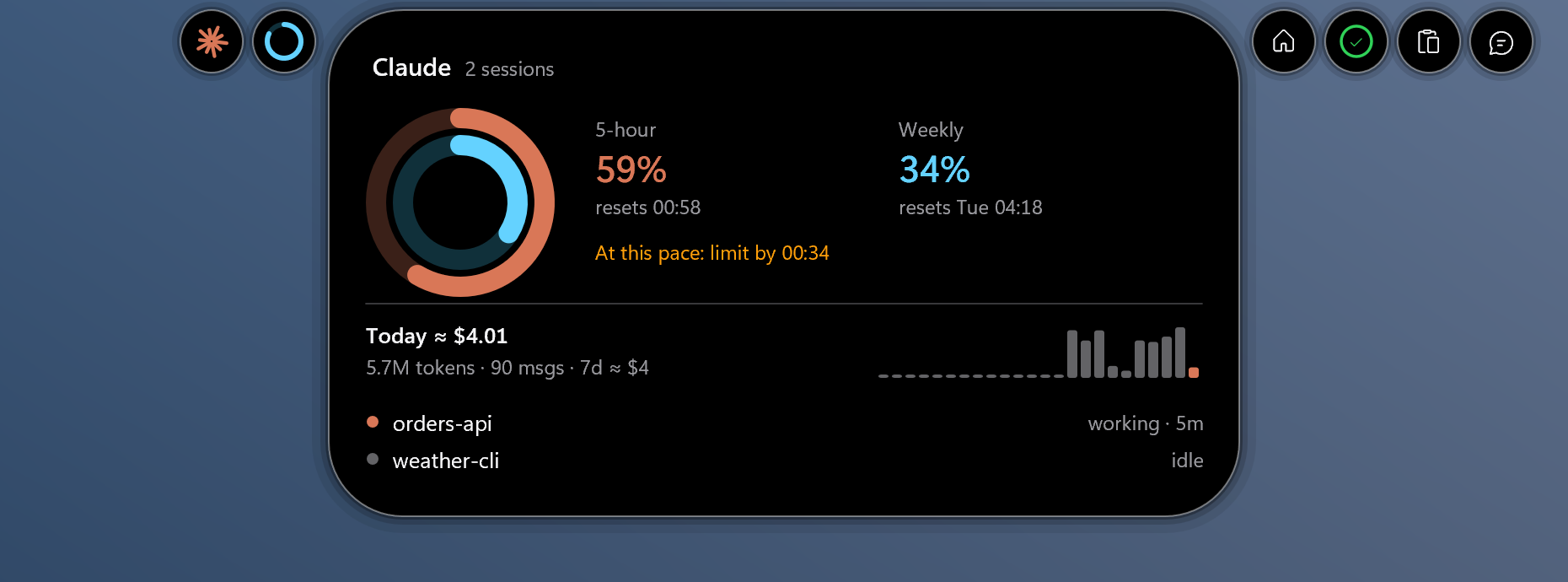
At rest it is only a thin coloured line under the top edge of the screen, one segment per activity. Rest the pointer on it and Home opens with one row each for the working session, a focus timer, what is next today and the latest digest; click a row or a colour and that card opens. Bubbles either side lead to the other pages: Claude's plan limits and spend, Today's homework and tasks, the clipboard and a quick chat.
It is a native Rust app with no web view, always black with a white hairline so it stays visible over dark title bars, and built to cost almost nothing while nothing is happening. It is young and private, set up for my own Windows user: the Claude Code, Time Manager and Sisyphus pages depend on those tools running, and without them the island simply shows less.
Key facts§
- About 11,000 lines of Rust, with no web view: the island and its cards are drawn with Direct2D into composition surfaces.
- The process runs under Windows' EcoQoS, its power-saving scheduling, except while you type into it.
How it works§
Nothing polls. Each source wakes the app only when something changed: a change notification on Claude Code's session and transcript folders, the media session's events, the clipboard's update message, a local POST from a small Claude Code plugin that only reports. Other Windows islands that drew complaints about battery checked the cursor or media many times a second.
The system compositor does the motion. The island is a Win32 window hosting a Windows.UI.Composition tree; its size, position and corner radius are animated by Windows itself from springs sampled off the exact damped curve, so the app's own threads sleep during a transition. Web shells were ruled out for their idle cost.
Several activities share the line. Each gets a segment in its own colour: orange for a working Claude session (amber near the 5-hour limit), cyan for a focus timer, the album's colour for music, a single line that grows from its centre with each beat.
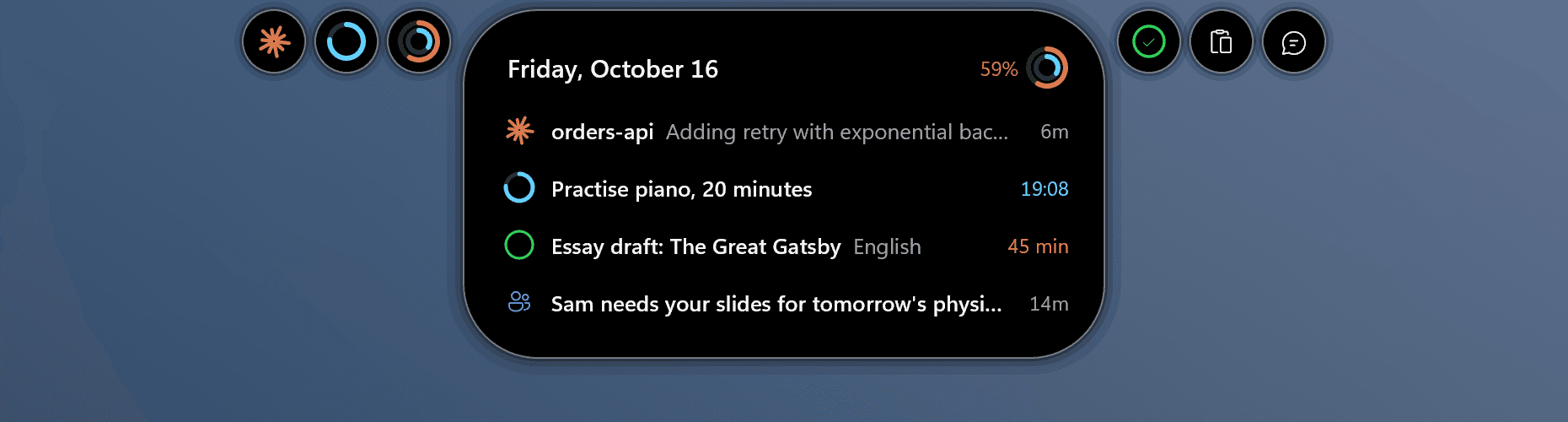
Home: rest on the line and every activity gets a row, each one click from its own card. Claude Code is read where it already writes. Busy or idle and to-do progress come from its session registry, spend and tokens from its transcripts read from their last offset, and plan limits and subagents from the reporting plugin; Claude Code never waits on the island.
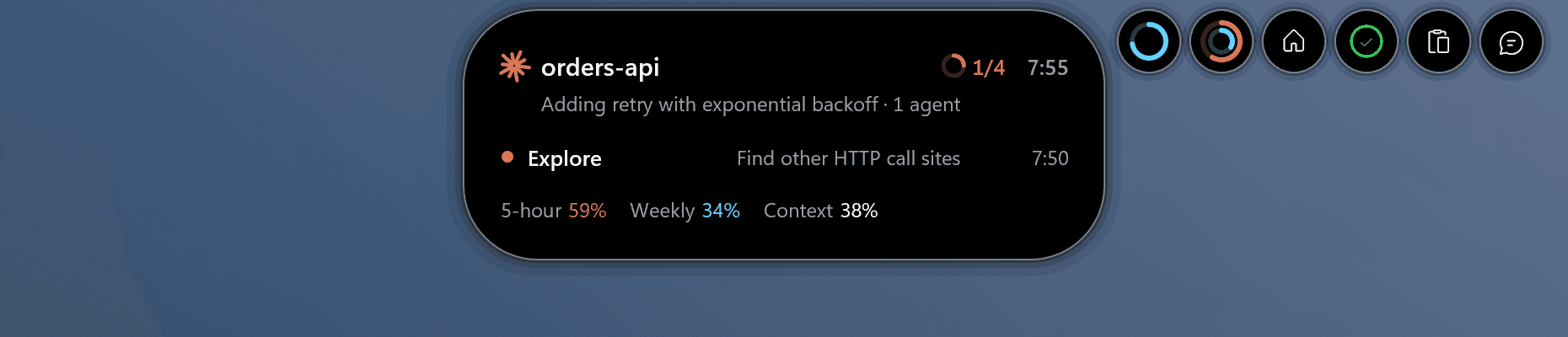
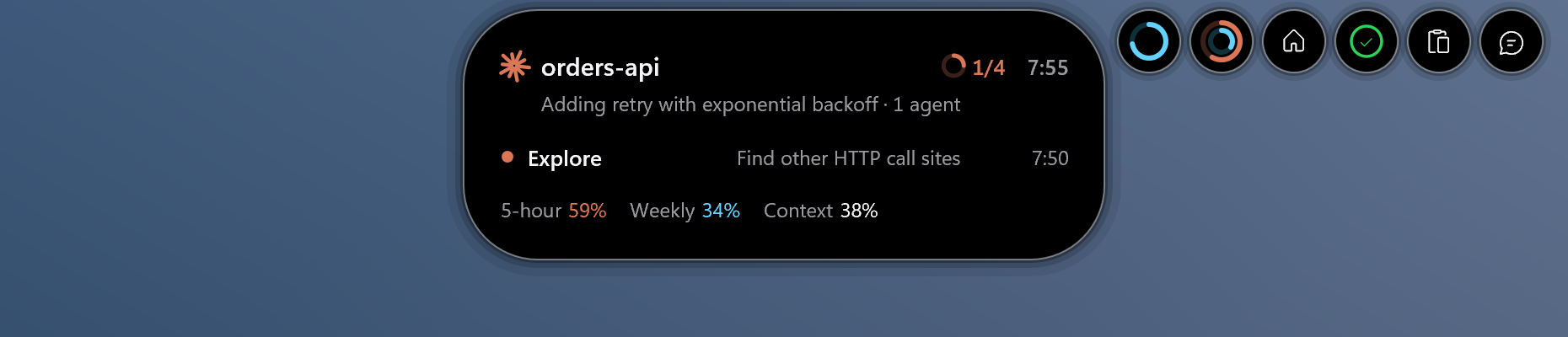
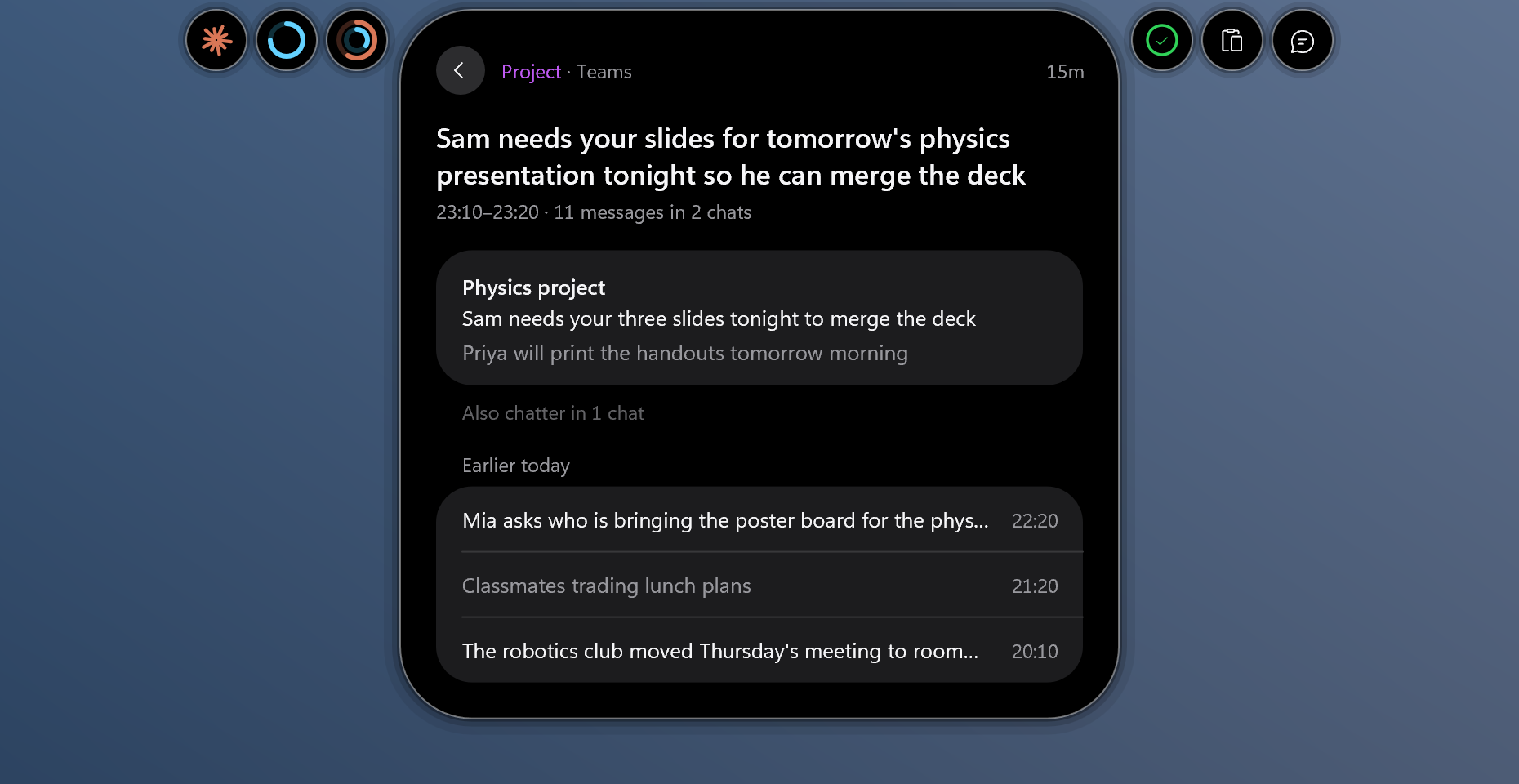
A Claude session's card: its current step, to-do progress, the subagent at work and how much of each limit is used. It works with my other projects. The Today page reads the Time Manager's plan for the day, and Sisyphus's Teams digests pop up as loudly as they matter: a full card for an important one, a one-line banner, or a faint capsule that barely leaves the line.
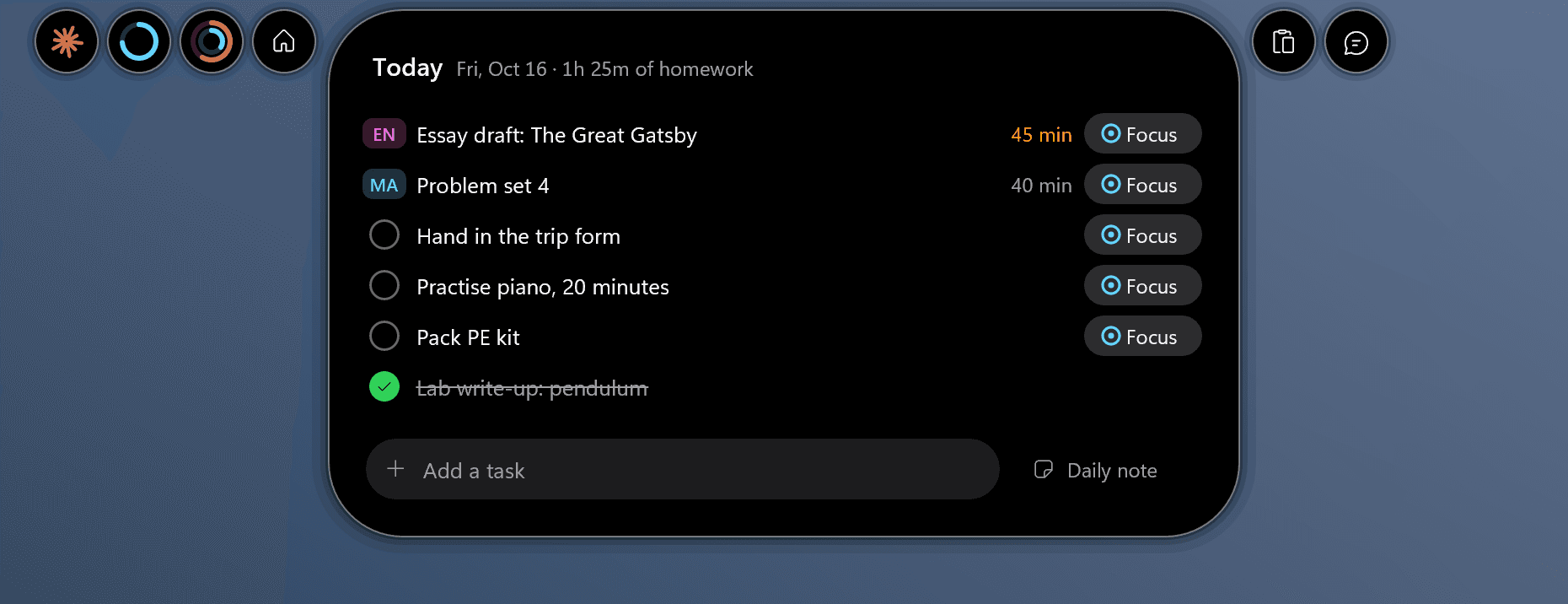
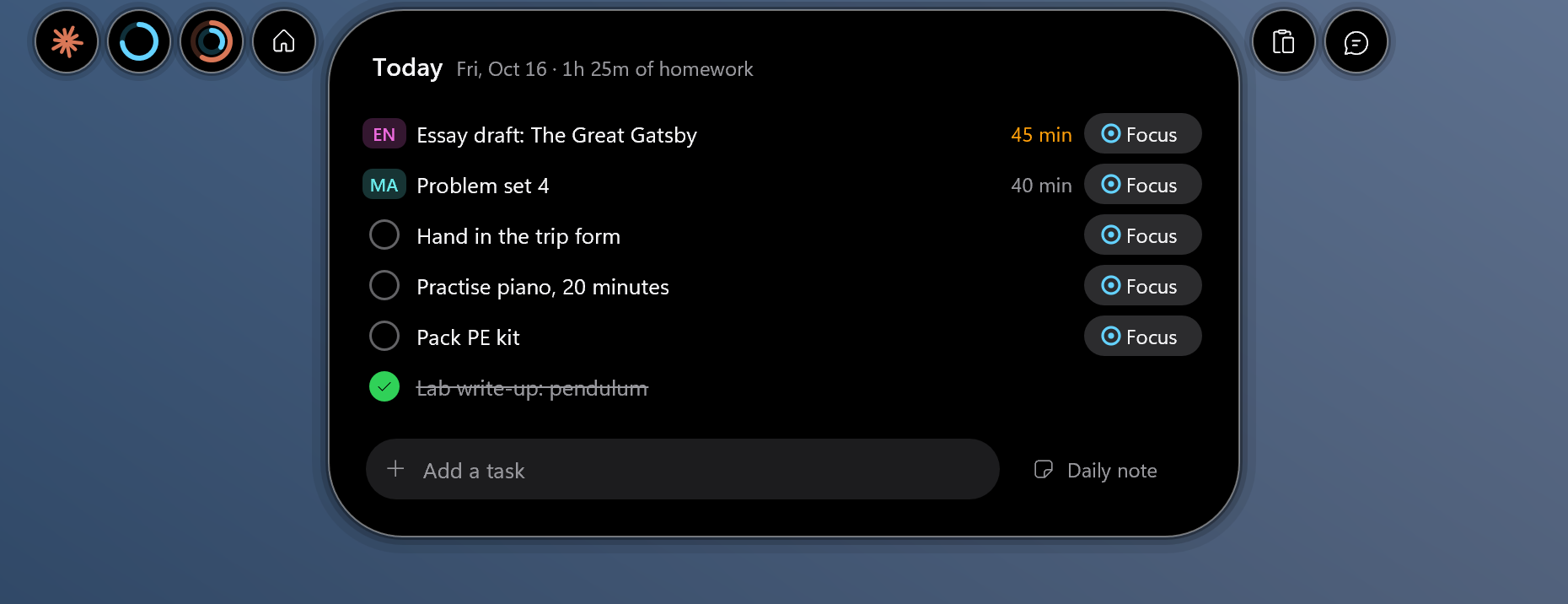
Today: homework from the Time Manager next to the day's own tasks; Focus starts a timer in the island.
Screens§
Built with§
- Rust
- windows-rs
- Windows.UI.Composition
- Direct2D
- DirectWrite
- WASAPI
- OpenCode Go