Aethalides
Photograph the homework list, get a plan for the week.
A web app that reads a photo of the class journal, lets you check what it read, and spreads the homework over the next six days. The plan is rebuilt whenever anything changes. Marking a sitting unfinished makes future estimates for that subject longer. On this site, everyone with an account gets their own planner.
- Status
- Working. Anyone can sign up with a confirmed email. Photo scanning is off for new accounts and turned on per person.
- , from this site's code
Overview§
Homework comes as a list in the class journal: subjects, tasks and due dates, some written as "next class". Working out how much to do each evening across several subjects is the step that usually gets skipped. Aethalides is for students who would rather photograph the page than plan by hand.
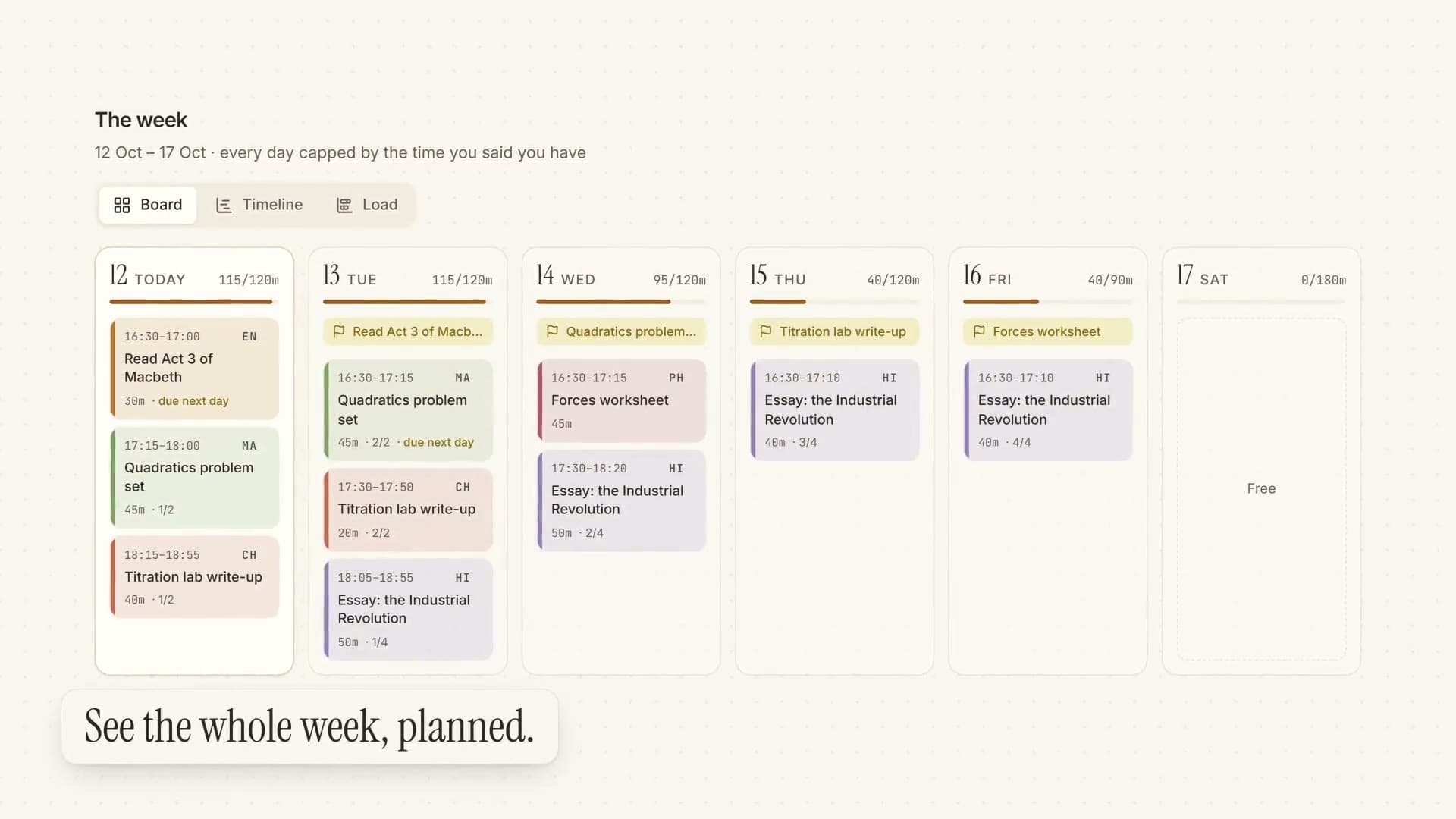
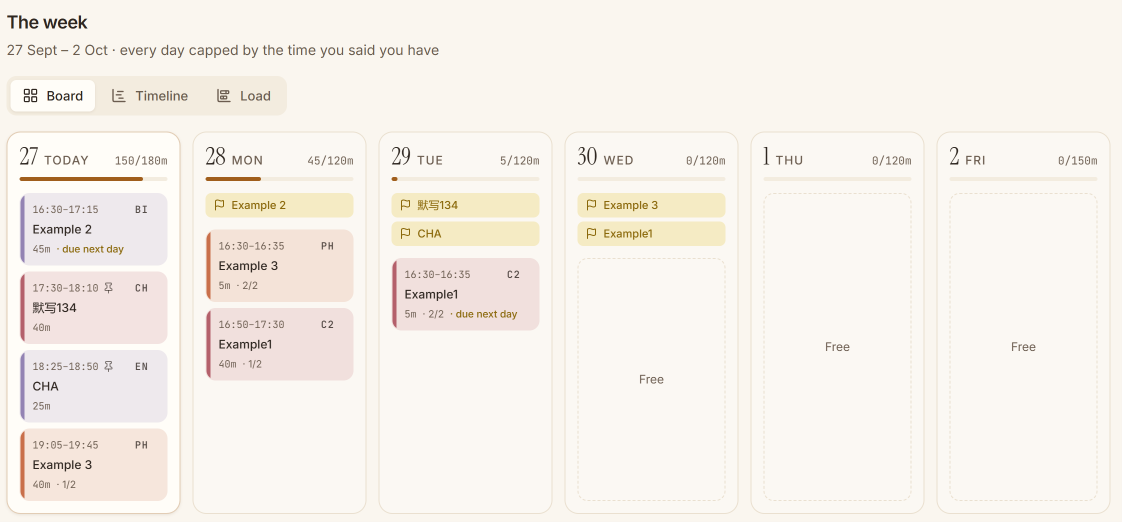
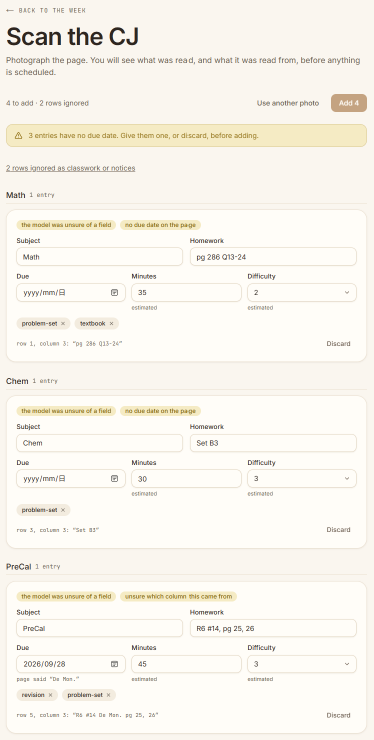
You take a photo and each entry comes back as a card you can correct, with a note where the reading was unsure. You can also type homework in. Today lists tonight's sittings in clock order with a finish time. The week can be shown as a board, a timeline or a load chart against your daily limit. Drag a sitting to another day and the rest of the week is re-planned.
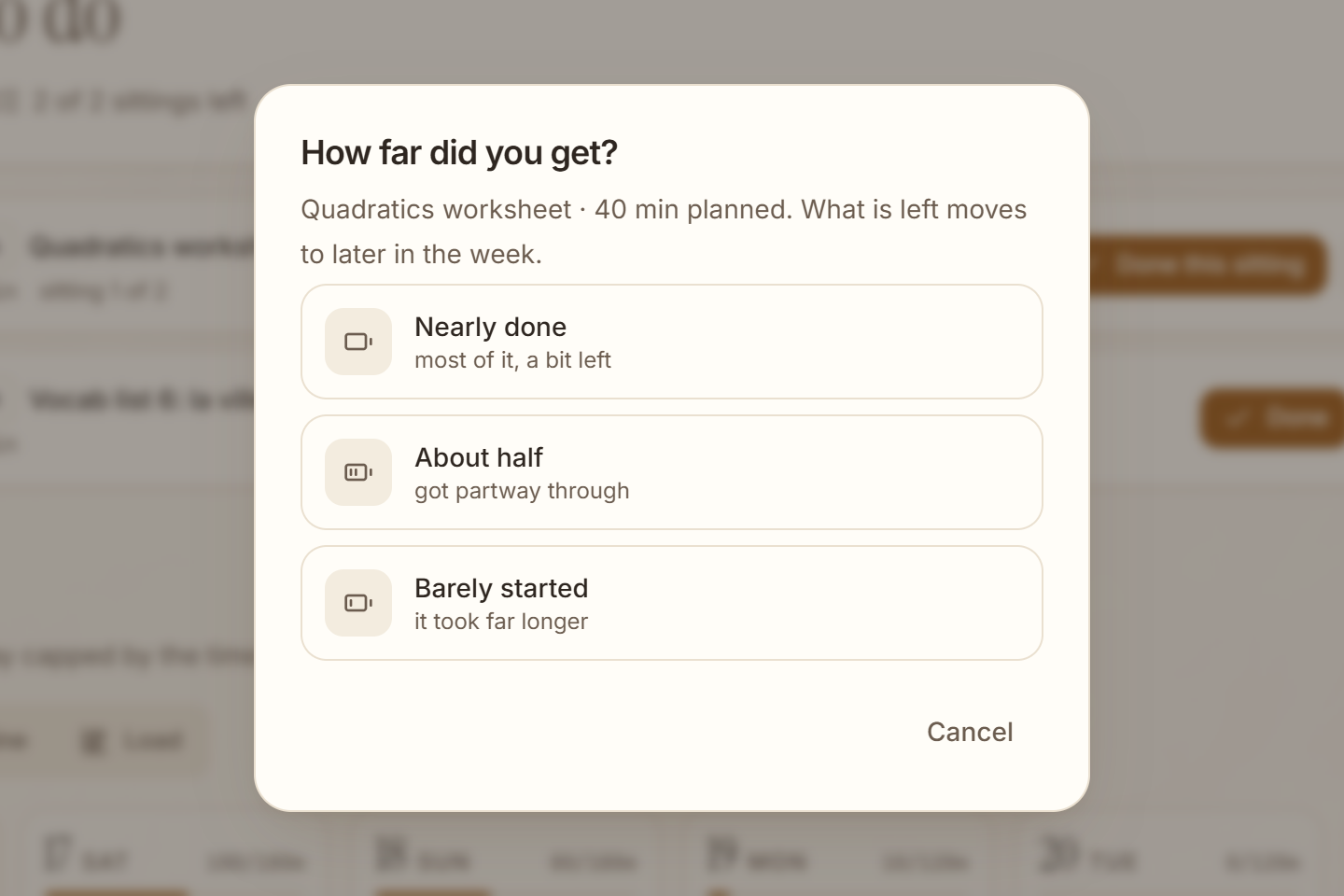
The plan is made by ordinary code, not the model, so the same homework and settings always give the same week. It learns from you. "Done this sitting" asks how far through the whole task you are, and "Didn't finish" asks how far you got. It runs inside this site. Anyone can sign up with a confirmed email, and photo scanning is turned on per person.
At a glance§
- Role
- Built alone, with AI coding assistants
- When
- 17 Sept 2026 to 28 Oct 2026 · 6 weeks
- work on 8 different days
- Commits
- 36
- saved steps of work
- Automated tests
- 240
- checks the code runs on itself
- Code
- 23,691 lines of TypeScript
- 24,503 in all
Counted from the repository on 12 November 2026: commits on every branch, without merges; tests as written, so one that runs several cases counts once; lines that are not blank, without other people's code, generated files or lockfiles.
Key facts§
- Design targets from the spec: under $0.02 per scan, and re-planning 40 open assignments in under 150 ms.
- Each person's plan lives in its own database file, so one account can never see another's homework.
How it works§
The scheduler is a pure, deterministic function. It puts the earliest deadline first, spreads work evenly before each due date, and keeps to a daily limit you set. Work that doesn't fit is listed, not squeezed in.
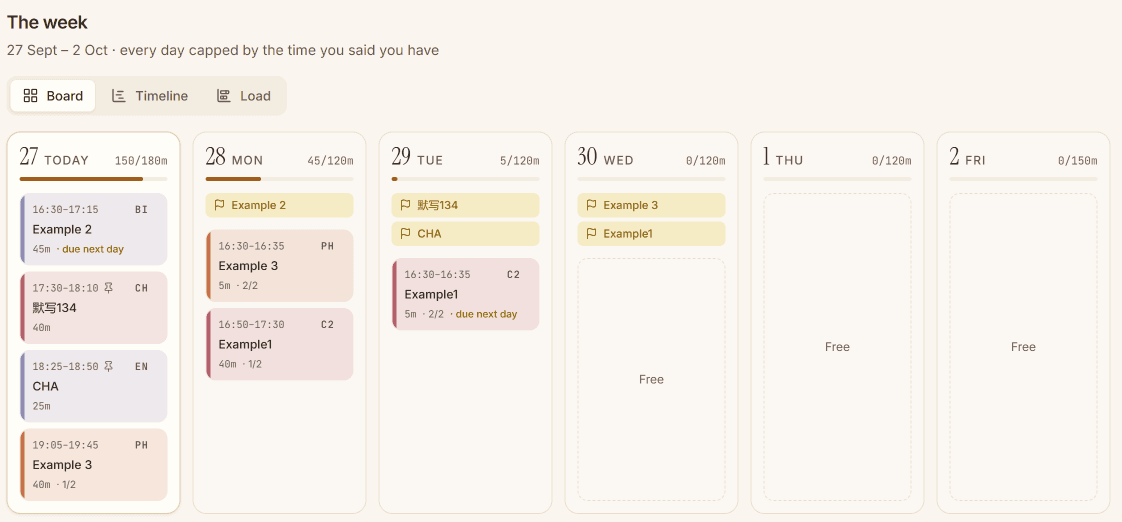
The week: sittings spread out before each due date, within the time you have each day. Nothing is scheduled until you have reviewed it. Low-confidence fields, a missing or inferred subject, and signs of a misread column are flagged.
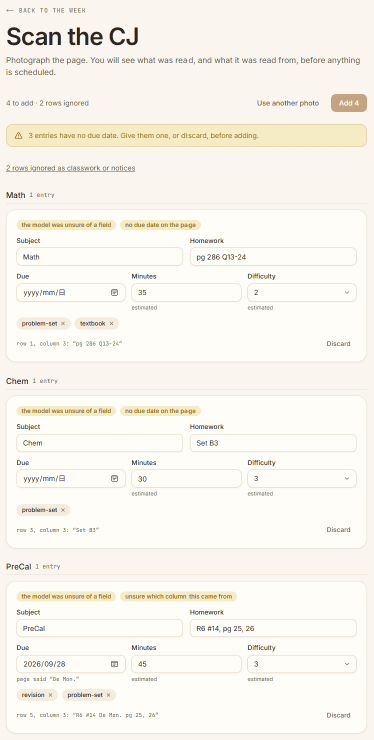
The review step shows what was read from the photo and flags anything it was unsure of. The model's output is checked against a schema. Four kinds of failure (empty, unparsable, cut off, wrong shape) are told apart, and each has its own retry.
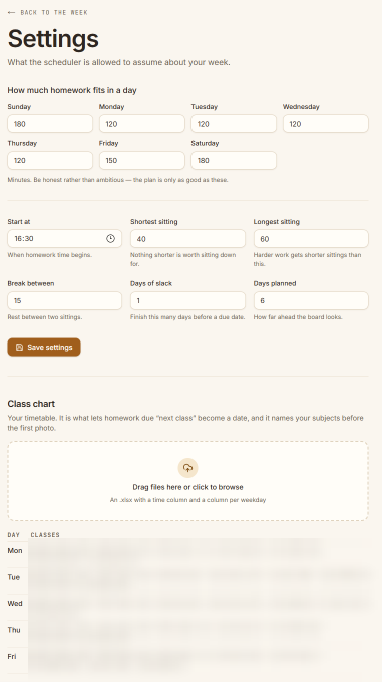
An imported class timetable turns “due next class” into a real date. It also flags due dates on days the subject doesn't meet.
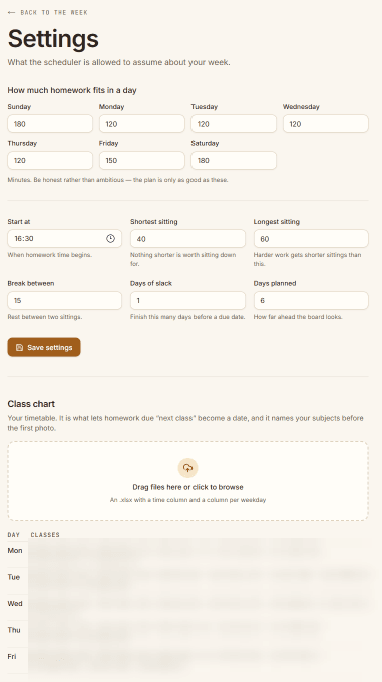
How much time each day has, and the imported class chart (blurred here). The correction factor for each subject is always recomputed from the full history of unfinished sittings, so it can be rebuilt exactly.
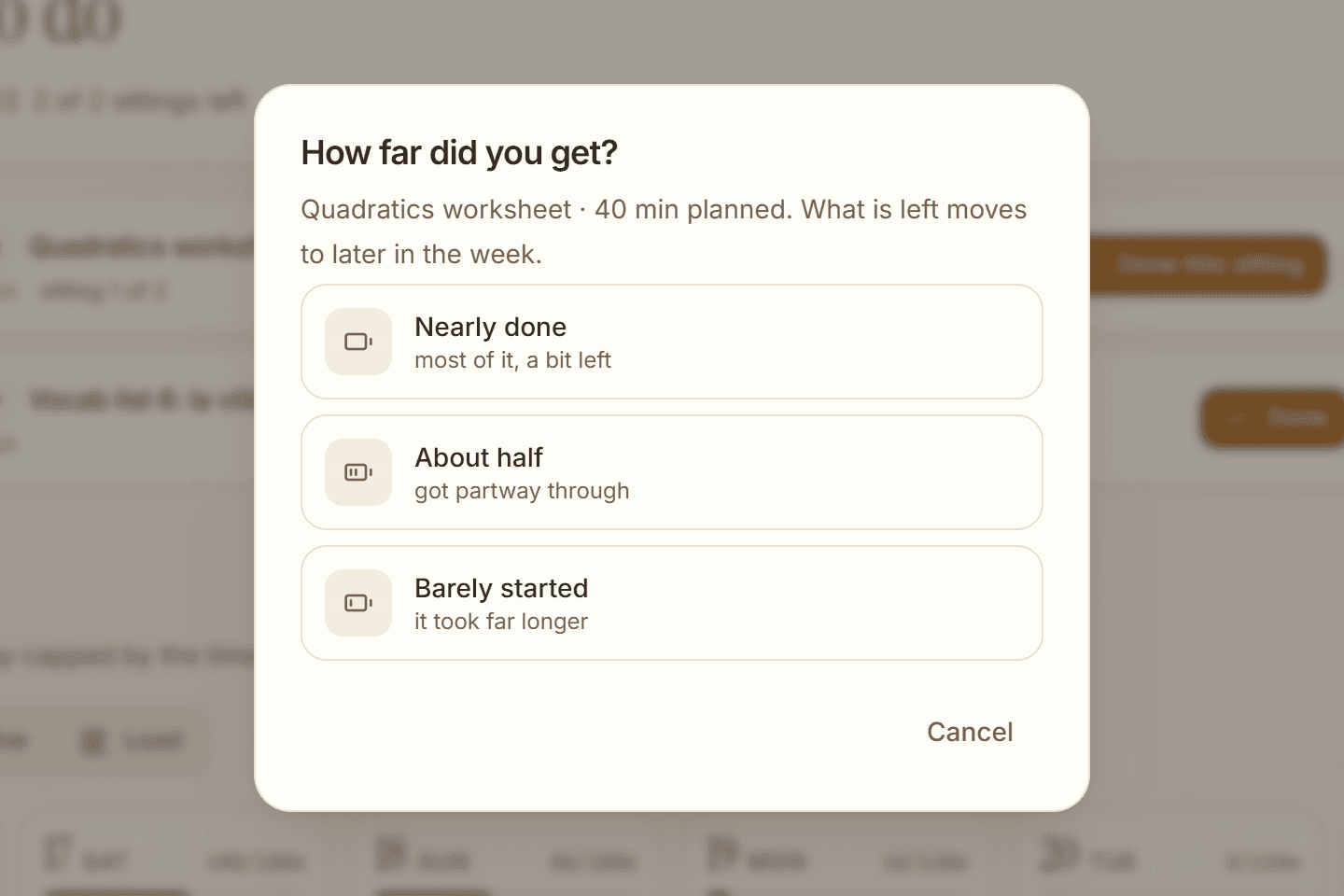
Didn't finish takes one tap for how far you got. The rest moves later, and estimates for that subject go up.
Screens§
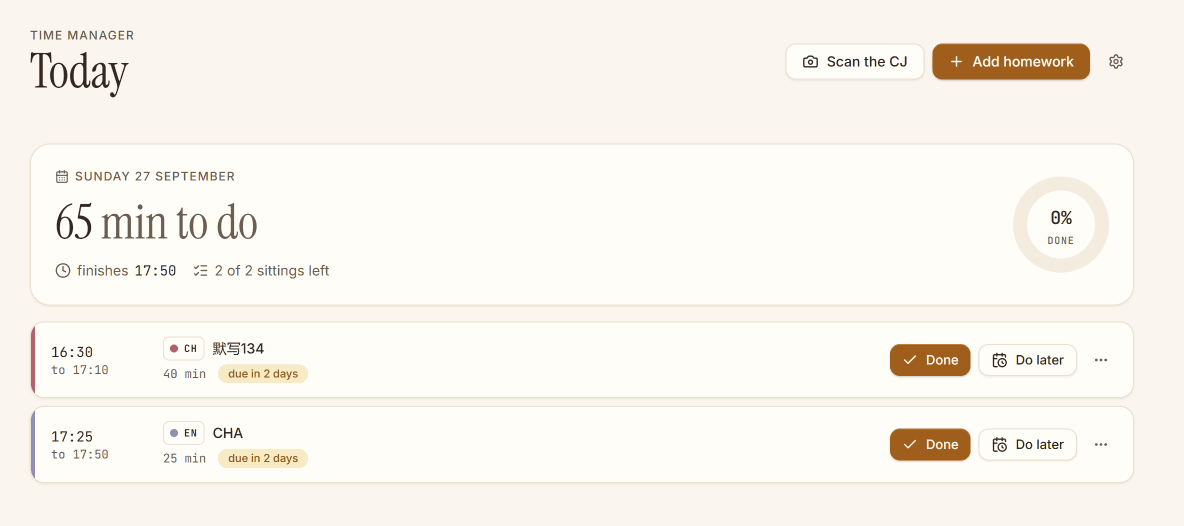
Today: what to sit down and do, in clock order.
Built with§
- Next.js 16, also used in Squash Review, Jarvis for Projects, Ocr-kb-matcher (KIP), and Meridian
- TypeScript, also used in Inkbound Duels, Sisyphus, Squash Review, Jarvis for Projects, Ocr-kb-matcher (KIP), Meridian, and Ship It Tracker
- Tailwind CSS v4, also used in Jarvis for Projects, Meridian, and Ship It Tracker
- Zod, also used in Jarvis for Projects
- DeepSeek vision, also used in Datacenter Tracker and Sisyphus
- SQLite + Drizzle, also used in Inkbound Duels, Datacenter Tracker, Jarvis for Projects, agento, and Ocr-kb-matcher (KIP)
- Vitest, also used in Inkbound Duels and Jarvis for Projects